Foreca, Aura Frames and Denny’s: what deserves a look
A forecast before leaving, a photo for family, a stop for food: I weigh this week’s Foreca Weather & Radar, Aura Frames and Denny’s updates, alongside six more apps, to help you decide what deserves attention.
This week's covers
 Travel & Holidays · AndroidMyTransit NYC Subway &: when one city trip needs three kinds of trainMyTransit combines NYC subway, bus, LIRR and Metro-North maps and times; useful for mixed-mode trips, but ads and in-app purchases may not suit everyone.
 Electronics & Smart Home · AndroidAura Frames: put the right family photos on displayPick photos, folders or collections for an Aura frame, then invite family to contribute.
 Home, Family & Weather · AndroidSolid Starts: a food lookup for the high-chair momentLook up a food, check how to serve it, then plan the next bite.
 Travel & Holidays · AndroidCurrency converter offline: do the currency maths between errandsCheck a converted price, then do the arithmetic without opening another app.
 Entertainment & Social · AndroidNeighbors by Ring: when a neighborhood alert beats the morning newsA neighborhood alert feed for people who want local safety updates on their phone.
In this issue
- 01
One place to check subway, bus and regional rail routes around New York City.
- 02
Pick photos, folders or collections for an Aura frame, then invite family to contribute.
- 03
Look up a food, check how to serve it, then plan the next bite.
- 04
Check a converted price, then do the arithmetic without opening another app.
- 05
A neighborhood alert feed for people who want local safety updates on their phone.
- 06
Sort the group’s diner order, then keep favorite meals handy for next time.
- 07
Check channel crowding, signal changes and connected devices from your Android phone.
- 08
Check rain timing and warnings, then decide whether the extras fit your budget.
- 09
Parent replies, lesson files and the storage check I would make first.
- 10
My pick for trailhead access, with hours checked before reception drops.
- 11
Preview the destination, then follow a guided route there.
Each entry sums up the developer's notes and the official Google Play listing; the listing has the final word.
From the shelves
Going Out All apps →
 SofascoreTrack teams and player numbers without keeping a match on screen.
 theScoreFollow teams across leagues, then open a matchup for stats, news and video.
 Trackman GolfReview range, simulator and practice activity alongside personal stats and leaderboards.
 Denny'sSort the group’s diner order, then keep favorite meals handy for next time.
Electronics & Smart Home All apps →
 Voice RecorderA handy Galaxy voice recorder, especially when two speakers need separate playback.
 Find My Phone by ClapA hands-free way to call out a misplaced phone, with a home-screen change to weigh.
 WiFi AnalyzerCheck channel crowding, signal changes and connected devices from your Android phone.
 Phone Call AppA compact calling option for reaching phone numbers over Wi-Fi or mobile data.
Home, Family & Weather All apps →
 Windy.appCheck wind, swell and rain ranges before you pick a launch spot.
 Police RadarA road-focused camera map with speed and limit displays for everyday drives.
 BabySparksA shared starting point for choosing age-appropriate play ideas together.
 ANRANCheck motion alerts, view live video and revisit recordings from your phone.
Travel & Holidays All apps →
 Google MapsMy pick for trailhead access, with hours checked before reception drops.
 OsmAndSave maps, shape a route around road limits, and keep trip details on screen.
 Gps Map Navigation &Preview the destination, then follow a guided route there.
 VioScan hotel options in one place, then check the booking details before you commit.
Latest guides
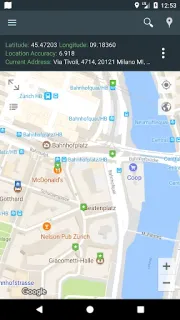
- Best picks · My LocationMy Location: 5 picks for saving a trip routeChoose a route-saving app that fits the way you travel, from city stops to trail days.
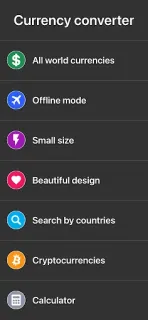
- Tips · Currency converter offlineCurrency converter offline: 6 checks before you paySix practical checks for converting prices, using offline mode and avoiding a rushed calculation.
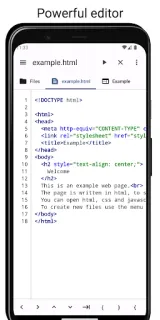
- Troubleshooting · Code StudioCode Studio Can’t Open Files? Fix It in 6 StepsGet Code Studio files opening again by checking folders, access and project paths in the right order.
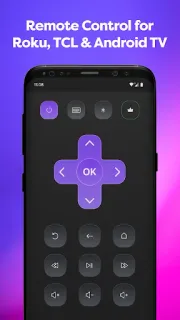
- How-to · Remote Control for Rоku &Remote Control for Rоku & TCL: Fix a TV That Won’t ConnectGet the phone remote talking to your Roku or TCL TV with a few focused checks.
- Tips · Invitation MakerInvitation Maker: 6 RSVP Details Guests NeedSix practical ways to make a digital invitation clearer and easier to answer.
- Compare · Gps Map Navigation &Gps Map Navigation &: Which App Fits Your NYC Trip?One app points along roads; the other is built around New York transit.
 Best picksMy Location
 TipsCurrency converter offline
 TroubleshootingCode Studio
 How-toRemote Control for Rоku &

 TipsInvitation Maker
About this site
How we write the digest
An update badge isn’t enough reason to interrupt your day. I read each app’s Google Play listing and update notes, then connect the changes to the job the app is meant to do. I use apps in my own routine, keeping those impressions separate from claims in the store description. I look for changes that affect setup, everyday controls, permissions or reliability, rather than treating every release as news. My digest ends with a plain judgment: worth acting on, worth checking for a particular need, or fine to leave alone.
Updating basics: how updates reach you, and what Update / Open mean
Most phones update apps on their own, but only while auto-update is on. On Android, open Google Play, tap your profile picture, then Settings › Network preferences › Auto-update apps. On a store listing, the main button tells you where you stand:
UpdateA newer version is waiting for your device.
OpenYou already have the version the store offers your device.
If you see Open but this issue mentions a newer build, the rollout simply hasn't reached you yet. Check again in a day or two.
Is The Considered Pick an official app support site?
No. I’m Mateo Irving, an independent reviewer, not an app developer or a representative of Google. I explain app changes and practical choices; account support and product decisions belong to the app’s own team.
Why isn’t the update showing on my phone yet?
Android updates can reach people in stages, and availability can depend on device compatibility or region. I’d check the app’s Google Play listing on your phone. If it offers Open rather than Update, check again later; an article about a release doesn’t mean every phone can get it immediately.
How do you choose which apps to cover?
I start with an everyday job: planning a journey, sharing family photos, checking weather or arranging food. Then I look at the app’s core task, costs, permissions and help options. A change earns space in the weekly issue when it gives readers a useful decision to make.
Do you host app files?
No. I host reviews and guides, not app files. Every store button opens the official Google Play listing, where you can check compatibility and choose whether to install.